Cybersecurity Basics for Small Businesses
By Girl BossBusiness6 min read
Four no-jargon steps to set up this week, each sourced to CISA, the FTC, or NIST.
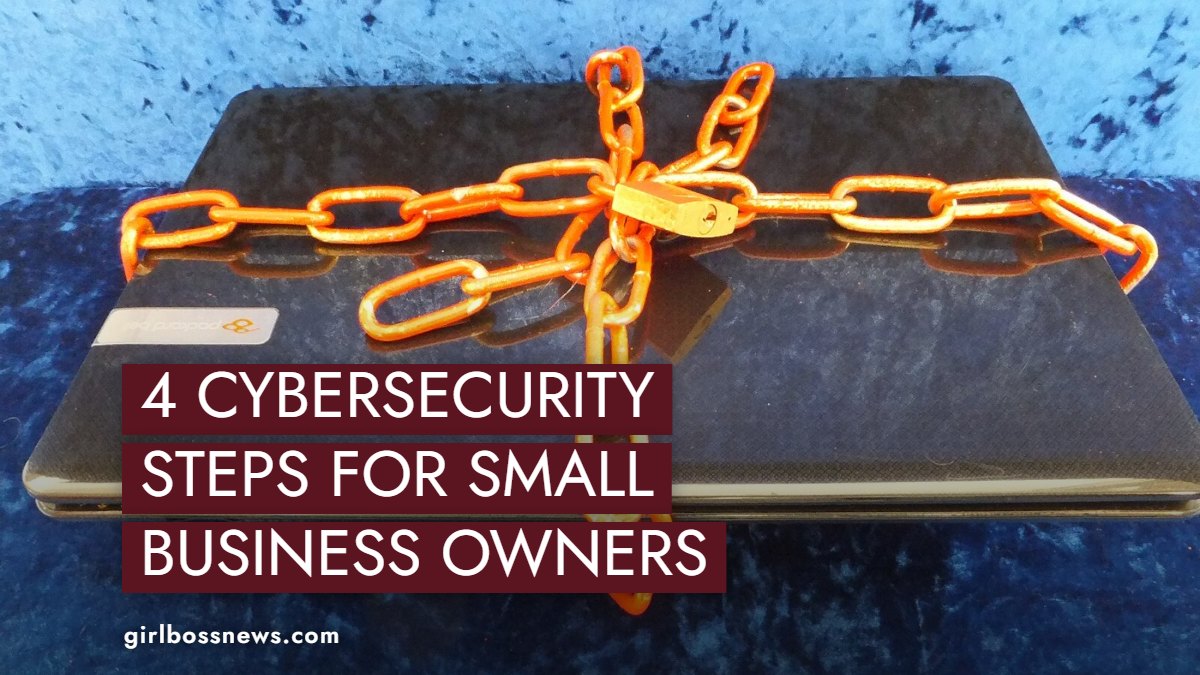
Being small does not make a company safe to ignore. CISA warns that cybercriminals treat no business as too small to target, and the agency notes the FBI reported more than "$2.7 billion in losses from business email compromise alone" in 2024, a scam built on nothing more than a faked email. That number was not built in a boardroom. It was built one unpaid invoice, one guessed password, one skipped backup at a time, often against a business that had everything else right. Four habits close most of that gap, and each takes an afternoon, not a budget. Here is what to set up this week, and why, according to the agencies that track it.
The framework behind these four steps
These four steps are not improvised advice. The FTC points businesses toward the NIST Cybersecurity Framework 2.0, which organizes risk management into six areas, Govern, Identify, Protect, Detect, Respond, and Recover, and specifically toward its Small Business Quick Start Guide to decide where to spend security time and money. NIST keeps a separate free Small Business guide for owners starting with little or no existing plan, and in October 2026 it added a tool that connects small businesses to nonprofit hosted cybersecurity programs in their region. CISA condenses its own version into two free printable sheets: one on the basics covered here, and one on logging, backups, and encryption for after the basics are done.
Passwords and multifactor login
A password's job is to block the guessing and automated attacks criminals run against business accounts; CISA calls a strong, mandatory password the first line of defense for exactly that reason. Pair it with multifactor authentication, also called two-factor, which the FTC describes simply as one extra step to log in beyond the password itself. It matters because the weak link is usually habit, not technology: CISA cites a National Cybersecurity Alliance survey finding 35% of people still build passwords from personal details like a pet's name, Gen Z and Millennials most of all, and a joint NSA-CISA review of real intrusions found weak or misconfigured multifactor login among the top ten misconfigurations attackers actually use to get in.
This week, make every password longer than feels necessary. CISA sets the floor at 16 characters, more is better; the FTC's floor is 12, built as a passphrase of random words rather than one word and a number. Never reuse a password across accounts, and never send one by phone, text or email. A password manager does the remembering for you, since staff who use one only need a single master password. Then turn on multifactor login everywhere it exists, starting with email, file storage and remote access, especially admin accounts and anyone handling sensitive data. CISA ranks a physical security key, like a YubiKey, as the strongest option, and a text or email code as the weakest, worth using only when nothing stronger is offered; where you have a choice, CISA recommends the phishing-resistant option. Last, change the default username and password that came with your router and any hardware or software out of the box, since defaults are public knowledge the moment a product ships, and turn off remote management on that router while you're there.
Automatic backups
A backup is simply a second copy of your files, stored somewhere other than the one laptop on the front desk. CISA ties this to something called a recovery point objective: decide how much recent work you can afford to lose, and back up often enough to never lose more than that, because a good backup makes recovery after an incident faster and far less stressful. The stakes are real: a 2017 study by the research firm Clutch found that about 60% of small businesses that lose their data shut down within six months. Penny Garbus, cofounder of Soaring Eagle Consulting, puts it plainly: regular security check-ups let a business fix a lurking vulnerability before it causes damage.
This week, the FTC's version of the same advice is to back up important files on a set schedule and store the copy in the cloud or on an external hard drive, not just on the same machine you're protecting. While you're at it, turn on automatic updates for your programs, apps, browser and operating system, and install security patches promptly when they arrive rather than clicking remind me later. A backup protects what you already have; an update closes the hole before someone finds it.
Phishing defense
Phishing is an email, text or message built to trick someone into opening a bad attachment or handing over something sensitive, a password, a client list, a wire transfer. CISA says it works because it targets people, not software, so staff need to be trained to recognize it and to report it when they see it, not quietly delete it and hope. It is also expensive at scale: business email compromise, phishing's most lucrative cousin, is the scam behind that $2.7 billion in 2024 losses. One layer most businesses skip is protecting their own domain: without email authentication protections in place, scammers can send phishing emails that appear to come from your business to your own customers, which does damage to trust that a password reset cannot fix.
This week, run one five-minute drill: forward a real or suspected phishing email to the team and talk through what gave it away. Ask whoever manages your website or email provider whether domain authentication is set up. And if you spot an actual phishing attempt, forward it to the Anti-Phishing Working Group rather than just deleting it; one report helps take down the campaign for the next business it reaches.
Payment verification
Not every scam needs a password. The FTC's newest warning is about something lower-tech: fake invoices. In a May 14, 2026 alert, the FTC said scammers send small businesses invoices for things they never ordered, tech support, domain registration, office supplies, and that some of those fake invoices carry a false past due notice built purely to rush someone into paying before they look closely.
This week, write down, somewhere everyone can see it, who is allowed to approve a payment and what they check first. The FTC's own advice is to have staff check every invoice closely and keep a clear procedure for approving purchases, limited to vendors the business actually works with. An invoice from a company no one remembers hiring is a question, not a bill. Report fake invoices and other scams to ReportFraud.ftc.gov so the agency can track the pattern.
If it happens anyway
Even with all four habits in place, prepare for the chance that something still gets through. The FTC's breach response guide says to update the credentials and passwords of every authorized user right away, since a stolen password keeps a system exposed for as long as it stays unchanged. And know the law is already on your side here: every U.S. state, plus the District of Columbia, Puerto Rico, and the Virgin Islands, requires businesses to notify people when a breach exposes their personal information. None of this makes a breach routine. It only means you are not improvising the day it happens.
Quick answers
What is the single most important thing to set up this week
Turn on multifactor authentication on your email account first. CISA advises starting with email, file storage and remote access, especially admin accounts and anyone handling sensitive data, and the FTC describes MFA as one extra step to log in beyond the password.
How long should a business password actually be
CISA sets the floor at 16 characters, with more being better. The FTC's floor is 12 characters, built as a passphrase of random words rather than a word and a number.
What should I do with a suspicious invoice
Check it against vendors you actually work with, especially if it carries a false past due warning meant to rush you, and report confirmed fake invoices to ReportFraud.ftc.gov.
What if my business is breached anyway
Update every authorized user's credentials right away, since a stolen password keeps a system exposed until it changes. Nearly every U.S. jurisdiction also requires you to notify anyone whose personal information was exposed.
Sources
- Secure Your Business | CISA
- Require Strong Passwords | CISA
- Require Multifactor Authentication | CISA
- Cybersecurity for Small Business | Federal Trade Commission
- Run a small business? Pay your bills, not scammers | Consumer Advice
- Data Breach Response: A Guide for Business | Federal Trade Commission
- Small Business Cybersecurity Corner | NIST
- NIST Small Business Quick-Start Guides | NIST
- 3 Ways To Guard Your Business Against Data Loss That Could Doom It - Lioness Magazine
- Small and Medium-Sized Business Resources | CISA